

DTF transfer failures frustrate small clothing businesses, yet over 40% of adhesion problems trace back to incorrect heat press settings and environmental factors like humidity. This guide delivers targeted troubleshooting tips that address cracking, peeling, and durability issues. You’ll learn how to optimize heat press parameters, select quality materials, control moisture, prepare garments correctly, fix user errors, and maintain equipment to reduce defects and boost your production efficiency.
Table of Contents
- How To Choose Effective Troubleshooting Approaches For DTF Transfers
- Tip 1: Optimize Heat Press Temperature, Time, And Pressure
- Tip 2: Select High-Quality Ink And Film Materials
- Tip 3: Manage Environmental Factors Like Humidity And Moisture
- Tip 4: Prepare Garments Properly Before Applying Transfers
- Tip 5: Correct Common User Application Errors
- Tip 6: Maintain Your Printer And Equipment Regularly
- Summary Comparison Table And Situational Recommendations
- Improve Your DTF Transfers With Transfer Kingz Solutions
- Frequently Asked Questions About DTF Troubleshooting
Key takeaways
| Point | Details |
|---|---|
| Optimal heat press settings | Maintain 305-315°F, 15-20 seconds, and medium pressure to prevent adhesion failures. |
| Quality materials matter | Pigmented DTF inks and 80-micron films reduce cracking by up to 40%. |
| Control humidity | Keep workspace humidity below 60% and pre-press garments to prevent 30% of adhesion failures. |
| Correct user errors | Remove protective films and follow layering sequences to avoid 15% of defects. |
| Regular maintenance | Daily nozzle cleaning reduces print defects by 30% and extends equipment life. |
How to choose effective troubleshooting approaches for DTF transfers
Successful troubleshooting starts with understanding the factors that influence DTF print quality and durability. Your approach should address heat press calibration, material selection, environmental controls, garment compatibility, and application technique. Each factor plays a distinct role in preventing common failures.
Prioritize solutions that target the root causes of your specific defects. If you see frequent peeling, focus first on heat press settings and humidity control. Cracking issues point toward ink quality and press pressure. Evaluate your production scale and garment types to tailor your troubleshooting strategy.
Consider these critical criteria when selecting troubleshooting methods:
- Heat press temperature, time, and pressure accuracy directly affect adhesion strength and transfer longevity
- Ink pigment composition and film thickness determine resistance to cracking and color fading
- Workspace humidity levels and garment moisture content influence adhesion rates and print vibrancy
- Fabric type, weave density, and surface preparation impact transfer compatibility and durability
- User skill in following manufacturer protocols and avoiding common application mistakes
Small businesses benefit most from systematic approaches that minimize material waste while maximizing success rates. Compare DTF vs screen printing explained to understand which process fits your production needs. Start with low-cost fixes like heat press calibration before investing in new equipment or materials.
Tip 1: Optimize heat press temperature, time, and pressure
Heat press parameters are the single most critical factor in DTF transfer success. Incorrect settings cause over 40% of adhesion failures, leading to peeling, bubbling, and premature wear. Your heat press must deliver consistent temperature, appropriate dwell time, and balanced pressure to cure the adhesive properly.
Maintain your platen temperature strictly between 305-315°F (150-157°C). Too low prevents full adhesive activation. Too high scorches fabrics and causes yellowing. Studies show 35% increase in print durability after optimizing press time, proving precision pays off.
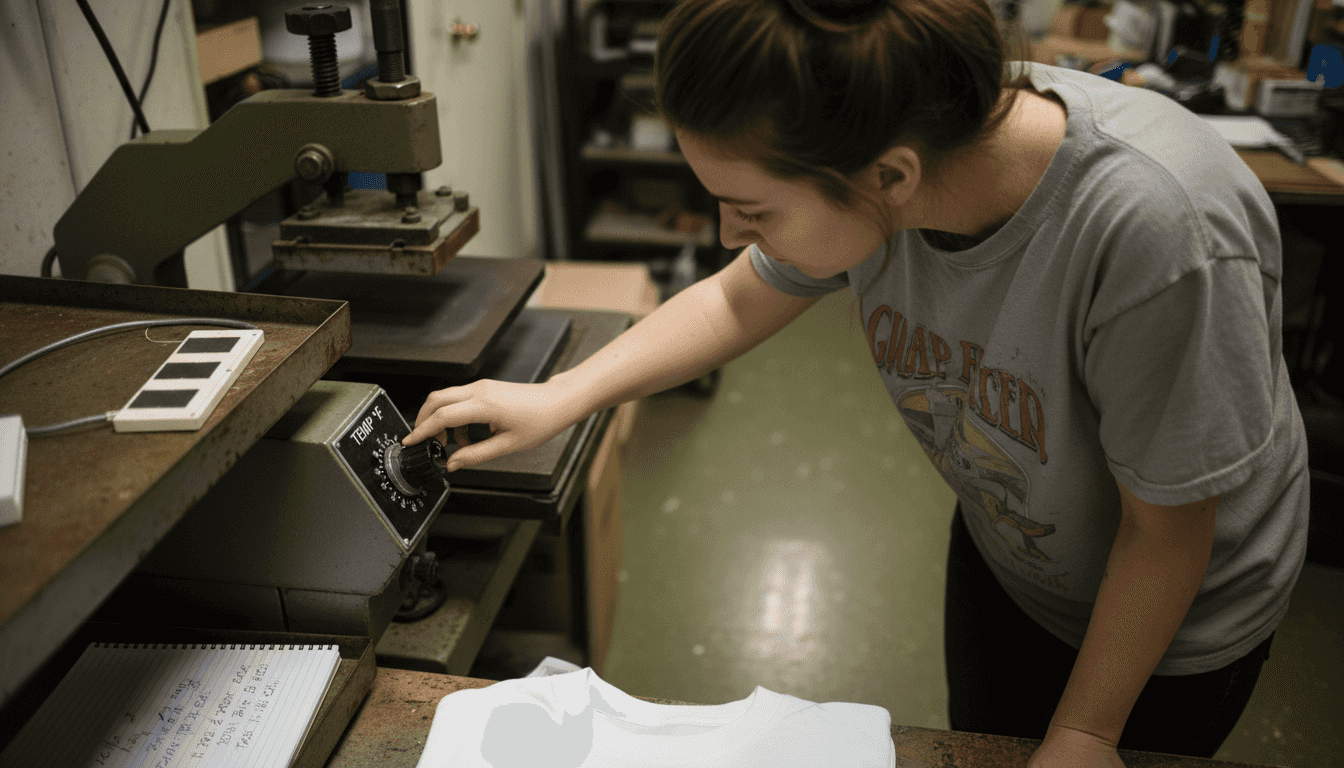
Set your press time between 15-20 seconds for optimal curing. Shorter times leave adhesive uncured, while longer times risk heat damage. Apply medium pressure, typically 3-4 bar, to ensure even contact without distorting fabric or creating wrinkles.
Follow these best practices for heat pressing transfers to improve consistency:
- Verify actual platen temperature with a reliable heat gun or infrared thermometer weekly
- Calibrate pressure using manufacturer specifications and adjust for different fabric weights
- Allow the heat press to fully warm up for 10-15 minutes before production starts
- Test settings on scrap fabric matching your production garments before processing customer orders
- Document successful settings by garment type to build a reference library
Pro Tip: Use a thermal sensor strip on your platen to confirm temperature accuracy, as digital displays can drift over time or fail to reflect actual surface heat.
Understanding heat presses in DTF printing helps you select equipment that maintains consistent parameters. Invest in a heat press with digital controls and automatic pressure adjustment to reduce variability.
Tip 2: Select high-quality ink and film materials
Material quality directly determines transfer durability and resistance to cracking. Pigmented inks specifically formulated for DTF printing reduce cracking by up to 40% compared to generic alternatives. Film thickness around 80 microns offers the ideal balance between flexibility and strength.
Low-quality inks and films increase risks of peeling, color fading, and cracking within weeks of application. These materials often use inferior adhesives that fail under normal wash conditions. Cheap films may be too thin, tearing during application, or too thick, creating stiff, uncomfortable prints.
Choose materials from vendors with industry certifications and positive user reviews. Look for inks that specify DTF compatibility and wash durability ratings. Films should list thickness specifications and adhesive types to ensure compatibility with your printer and garments.
Consider these material quality indicators:
- Pigment concentration and particle size affect color vibrancy and resistance to UV fading
- Adhesive formulation determines wash durability and compatibility with different fabric types
- Film carrier structure influences peel characteristics and ease of application
- Manufacturer testing data on wash cycles and cracking resistance provides objective quality measures
- Vendor support and technical documentation indicate commitment to product quality
Invest in sample testing before committing to bulk purchases. Print identical designs using different material brands and subject them to multiple wash cycles. Compare results for cracking, peeling, and color retention. This DTF transfer troubleshooting guide flawless prints offers additional material selection advice.
Quality materials cost 20-30% more upfront but reduce reject rates and customer returns significantly. Calculate your total cost per successful print, not just material price per unit.
Tip 3: Manage environmental factors like humidity and moisture
Environmental conditions, particularly humidity, dramatically affect transfer adhesion and print quality. Research shows humidity over 60% raises adhesion failure rates by 30%, making moisture control essential for consistent results.
High humidity introduces excess moisture into garments and transfer films. This moisture creates a barrier between adhesive and fabric, preventing proper bonding. It also affects ink drying times and can cause colors to run or bleed during printing.
Pre-press garments for 10 seconds at 305°F to drive out moisture before applying transfers. This simple step reduces peeling by 25% by creating a dry, warm surface for optimal adhesion. The heat also smooths fabric fibers, improving surface contact.
Control your workspace humidity using these strategies:
- Install a commercial dehumidifier to maintain humidity between 40-50% during production hours
- Use air conditioning or climate control systems to stabilize temperature and moisture levels
- Store films and garments in sealed containers with desiccant packs when not in use
- Schedule production during lower humidity times of day if climate control is unavailable
- Monitor humidity trends seasonally and adjust production volumes during high-moisture periods
Pro Tip: Use a digital hygrometer to monitor humidity levels daily and log readings alongside production notes to identify patterns in defect rates correlated with moisture levels.
Low moisture content improves ink drying speed and enhances color vibrancy. Prints applied in controlled environments show better wash durability and maintain sharper detail. This DTF transfer application checklist 7 steps designers emphasizes environmental preparation as a key quality factor.
Tip 4: Prepare garments properly before applying transfers
Garment preparation is a critical step many beginners overlook. Proper prep removes moisture, smooths fabric surfaces, and ensures clean contact between transfer and textile. Skipping these steps accounts for a significant portion of early adhesion failures.
Pre-press every garment for 10 seconds at 305°F before applying transfers. This removes manufacturing moisture, fabric softeners, and wrinkles that interfere with adhesion. The heat also opens fabric fibers slightly, improving adhesive penetration.
Smooth fabric surfaces reduce blistering and peeling risks. Textured or pilled fabrics create air pockets that prevent complete transfer contact. Use a lint roller to remove debris, loose fibers, and dust particles that compromise adhesion.
Fabric composition affects DTF compatibility significantly:
- Cotton and cotton blends (50%+ cotton) provide excellent adhesion and durability for most DTF transfers
- Polyester fabrics work well but may require slightly lower temperatures to prevent scorching
- Nylon and technical fabrics need specialized adhesive formulations and adjusted press settings
- Pre-treated or coated fabrics may resist adhesion and require surface preparation or alternative methods
Avoid applying transfers to damp garments. If you pre-wash garments, ensure they are completely dry and stored in low-humidity conditions. Residual moisture from washing or storage will cause immediate adhesion problems.
This DTF application flawless custom apparel guide provides detailed garment prep protocols. Test new fabric types with small sample runs before committing to large production batches.
Tip 5: Correct common user application errors
User errors are surprisingly common and account for preventable failures. Studies indicate 15% adhesion failure rate caused by not removing protective film layer, highlighting how simple oversights create major problems.
The most frequent mistake is failing to remove the clear protective carrier film after pressing. This film must be peeled away once the transfer cools to room temperature, typically after 10-15 seconds. Leaving it on prevents the transfer from bonding properly and causes peeling within hours.
Incorrect layering or stacking leads to cracking and peeling within weeks. Never apply a second transfer directly over a first without allowing proper cure time. Wait at least 24 hours between layers and use parchment paper between stacked transfers during pressing.
Follow these error prevention practices:
- Read and follow manufacturer instructions precisely for each transfer product, as protocols vary by brand
- Check transfer alignment carefully using positioning tools or templates before pressing to avoid misplacement
- Allow transfers to cool completely before peeling carrier film, as premature peeling damages adhesive
- Use consistent pressure across the entire transfer area by ensuring even platen contact
- Create and follow a checklist for each production run to avoid skipping critical steps
Consult best practices for heat pressing transfers for detailed application sequences. Document your process and train all operators consistently to eliminate technique variations that cause quality inconsistencies.
Tip 6: Maintain your printer and equipment regularly
Regular maintenance prevents print defects, extends equipment life, and ensures consistent output quality. Daily nozzle cleaning reduces print defects by 30% by preventing clogs that cause banding, color shifts, and incomplete prints.
Clogged nozzles create uneven ink flow, resulting in weak adhesion, poor color saturation, and missing design elements. These problems often don’t appear until after pressing, wasting both materials and labor. Systematic maintenance catches issues before they reach production.
Implement this maintenance schedule:
- Clean printer nozzles daily before starting production using manufacturer-recommended cleaning solutions
- Run nozzle check patterns and alignment tests at the start of each production day
- Inspect and clean print heads weekly to remove dried ink buildup and debris
- Calibrate heat press temperature and pressure monthly using professional testing equipment
- Replace worn heat press pads and covers quarterly or when compression becomes uneven
- Service printer components according to manufacturer schedules, typically every 6-12 months
Pro Tip: Keep a detailed maintenance log tracking cleaning frequency, nozzle check results, and any print quality issues to identify patterns and predict when equipment needs servicing before failures occur.
Scheduled cleaning and calibration improve print sharpness, color accuracy, and adhesion consistency. Printers running with optimal maintenance produce fewer rejects and require less material waste for test prints. This how to troubleshoot DTF printing issues resource provides comprehensive maintenance guidance.
Regular equipment checks prevent unexpected downtime during critical production periods. Replace consumables like filters, dampers, and wiper blades proactively rather than waiting for failure.
Summary comparison table and situational recommendations
Different troubleshooting approaches offer varying benefits depending on your specific situation. This comparison helps you prioritize solutions based on impact, ease of implementation, and cost.
| Troubleshooting Tip | Adhesion Impact | Durability Improvement | Ease of Implementation | Relative Cost |
|---|---|---|---|---|
| Optimize heat press settings | Very High | High | Easy | Low |
| Select quality materials | High | Very High | Easy | Medium |
| Manage humidity | High | Medium | Medium | Medium |
| Prepare garments properly | High | Medium | Easy | Low |
| Correct user errors | Medium | Medium | Easy | None |
| Maintain equipment regularly | Medium | High | Medium | Low |
Tailor your approach based on common scenarios:
- High humidity environments benefit most from dehumidifiers, garment pre-pressing, and moisture monitoring protocols
- Beginners should focus first on heat press calibration, protective film removal, and following manufacturer instructions precisely
- Designers facing ink cracking should prioritize premium pigmented inks, proper film thickness, and optimized press pressure
- High-volume producers need automated maintenance schedules, quality control checkpoints, and documented standard operating procedures
- Budget-conscious operations gain maximum value from heat press optimization, garment prep, and error prevention training
Combine multiple tips for best results. Heat press optimization paired with quality materials and humidity control delivers the highest success rates. Start with low-cost fixes like calibration and user training before investing in environmental controls or new equipment.
Improve your DTF transfers with Transfer Kingz solutions
Applying these troubleshooting tips becomes even more effective when you start with premium materials designed for optimal performance. Transfer Kingz specializes in high-quality DTF solutions that complement best practices and reduce common failure modes.

Explore UV DTF permastickers for durable, vibrant transfers that resist cracking and peeling. Our digital transfer film intricate prints deliver exceptional detail accuracy and adhesion consistency. Visit Transfer Kingz to access gang sheet builders, fast turnaround times, and no minimum order requirements perfect for small businesses and independent designers focused on quality production.
Frequently asked questions about DTF troubleshooting
Can I apply DTF transfers on all fabric types?
DTF transfers work best on cotton and cotton-blend fabrics with 50% or higher cotton content. Polyester, nylon, and technical fabrics require adjusted heat press settings and specialized adhesive formulations. Always test new fabric types with sample runs before production.
How often should I calibrate my heat press for best results?
Calibrate your heat press temperature and pressure monthly using professional testing equipment. Verify actual platen temperature weekly with an infrared thermometer, as digital displays can drift over time and fail to reflect true surface heat.
What signs indicate my ink or film quality is causing defects?
Poor quality materials show cracking after 3-5 wash cycles, color fading within weeks, or peeling at transfer edges. Prints may feel excessively stiff or thick. Compare wash durability against manufacturer claims and switch vendors if products underperform specifications.
Is pre-pressing necessary for all garments?
Yes, pre-press all garments for 10 seconds at 305°F before applying transfers. This critical step removes moisture, smooths fabric surfaces, and prevents 25% of adhesion failures. The minimal time investment dramatically improves success rates across all fabric types.
How can I quickly identify if humidity is affecting my transfers?
Track adhesion failure rates alongside daily humidity readings using a digital hygrometer. If failures increase when humidity exceeds 60%, moisture is likely the cause. Pre-press garments longer and consider adding dehumidification to stabilize your production environment.
Recommended
- DTF Transfer Troubleshooting Guide for Flawless Prints – Transfer Kingz
- DTF Transfer Quality Checklist 2026: 60% Cost Savings – Transfer Kingz
- How to Troubleshoot DTF Printing Issues Easily – Transfer Kingz
- Step by Step DTF Transfer Process: 95% Success Rate Guide – Transfer Kingz
- Can You Sublimate on Cotton T-Shirts? Workarounds + Oversized Guide – Smoked Times
0 comments