

Choosing an apparel printing process often feels confusing with so many myths about methods and costs. For small businesses and independent designers in North America, finding a reliable way to create vibrant, detailed custom garments matters more than ever. This guide demystifies the basics of direct-to-film printing, highlights simple application and fabric compatibility, and shows how quick, affordable DTF transfers can help you meet tight deadlines while keeping production costs comfortably low.
Table of Contents
- Direct-to-Film Printing Basics and Myths
- Essential Components of Quality DTF Transfers
- Durability, Washability, and Fabric Compatibility
- Common Pitfalls and How to Avoid Them
- Cost and Value Comparisons in DTF Transfers
Key Takeaways
| Point | Details |
|---|---|
| Direct-to-Film Printing is Efficient | The process is quick with minimal setup, allowing for rapid production of custom designs without minimum order requirements. |
| Durability is Key | Quality DTF transfers can withstand numerous washes if proper materials and techniques are used, impacting customer satisfaction and repeat business. |
| Complimentary to Other Methods | DTF prints fine details effectively, making it ideal for low-volume orders, and cannot replace screen printing for high-volume jobs. |
| Cost-Effective for Small Runs | DTF is more affordable than screen printing for small orders, making it advantageous for businesses targeting custom orders. |
Direct-to-Film Printing Basics and Myths
Direct-to-Film printing is simpler than most people think. You print your design directly onto a special film, then use a heat press to transfer it onto fabric. No complex pre-treatment, no specialty equipment beyond what you likely already have.
How the Process Actually Works
DTF printing involves printing designs on special film and heat-pressing them onto fabrics. Here’s the straightforward breakdown:
- Prepare your digital design file using standard design software
- Load the film into your DTF printer
- Print your design onto the film
- Apply thermoplastic powder to the printed design
- Cure the powder using heat
- Heat press the film onto your garment
- Peel away the film once cooled
The entire workflow takes minutes per shirt. No waiting for screens to set up, no minimum order quantities to justify.
Why It Works on Almost Any Fabric
Unlike screen printing, DTF doesn’t require fabric pre-treatment. Cotton, polyester, blends, even specialty materials—DTF handles them all. This flexibility is why small businesses love it.
You can print vibrant, detailed designs with zero hassle. The heat process bonds the thermoplastic powder directly to the fibers, creating durable prints that wash well and feel soft.
The Myths Holding You Back
Myth 1: DTF will replace screen printing. False. Industry analysis shows DTF as complementary, not competitive. Screen printing excels at high-volume, single-color jobs. DTF dominates fine details and low-volume custom orders. Use both for what they do best.
Myth 2: DTF prints fade quickly. Not true with quality powder and proper heat pressing. Prints last through dozens of washes when applied correctly.
Myth 3: You need special fabric. Another misconception. Standard apparel works perfectly. No prep needed, no pre-shrinking, no chemical treatment.
Myth 4: DTF is more expensive than other methods. For small runs, DTF beats screen printing significantly. For single orders? DTF has zero competition in value.
One Critical Safety Note
DTF uses thermoplastic powder and heat curing, necessitating workplace safety controls such as proper ventilation. Powder exposure requires basic dust management—a simple fan pulling air away from your work area handles this. Not complicated, just necessary.
Key Features That Matter
- Works on multiple fabric types without pre-treatment
- High-quality detailed prints with vibrant colors
- No minimum order quantities
- Fast turnaround for custom jobs
- Affordable for low-volume production
- Simple application process
Quality DTF transfers combine proper film, thermoplastic powder, and correct heat pressing—skip any step and results suffer.
Pro tip: Test your heat press temperature and timing on scrap fabric before running your first order; every press behaves slightly differently, and 5 minutes of testing saves hours of reprints.
Essential Components of Quality DTF Transfers
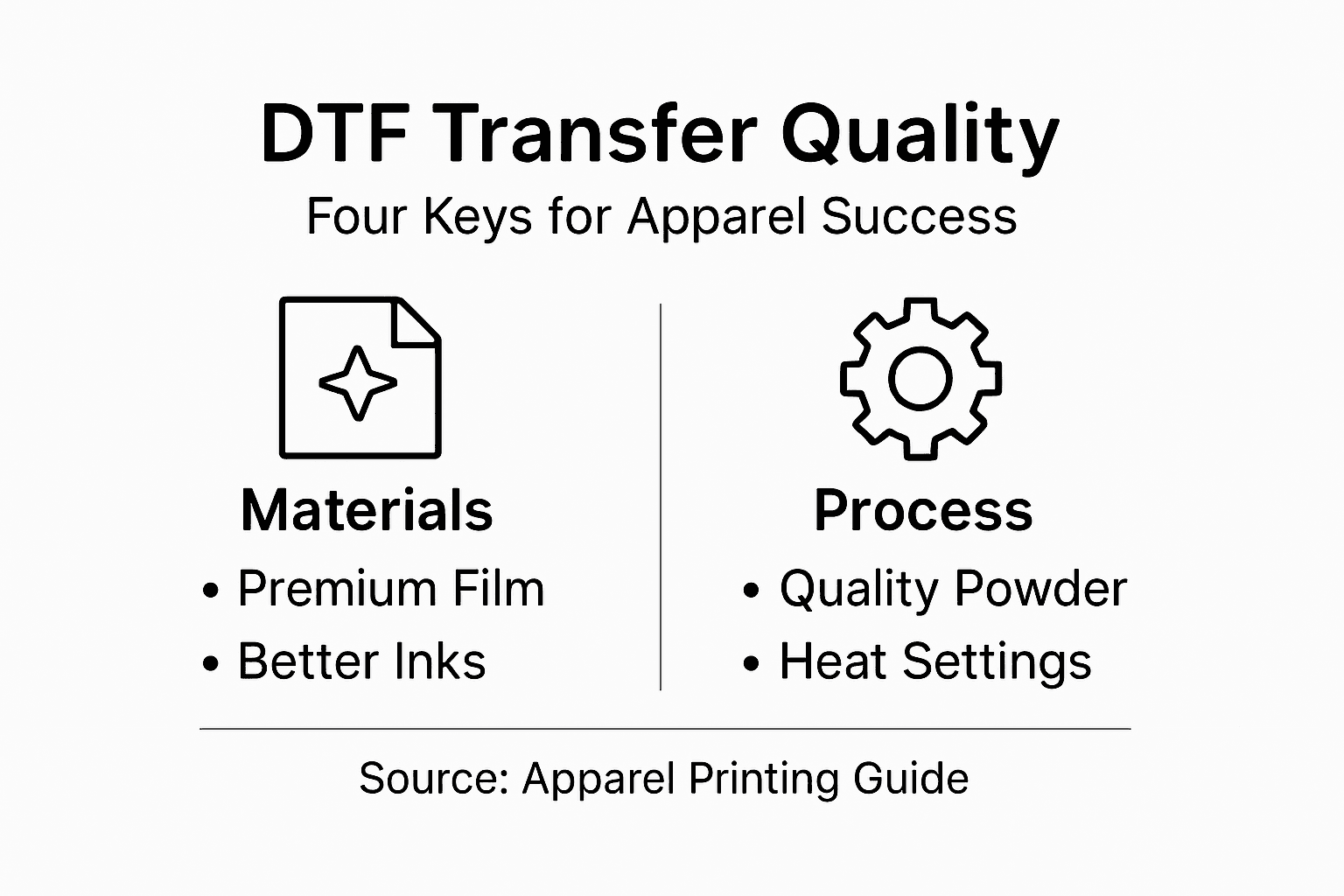
Quality DTF transfers aren’t magic—they’re the result of getting four critical elements right. Skip one, and your prints suffer. Master all four, and you’ll produce transfers that customers actually keep.
The Film Foundation
Transfer films form the base layer that everything else depends on. Not all films are created equal. Premium films accept ink evenly, hold powder properly, and transfer cleanly to garments without ghosting or peeling.
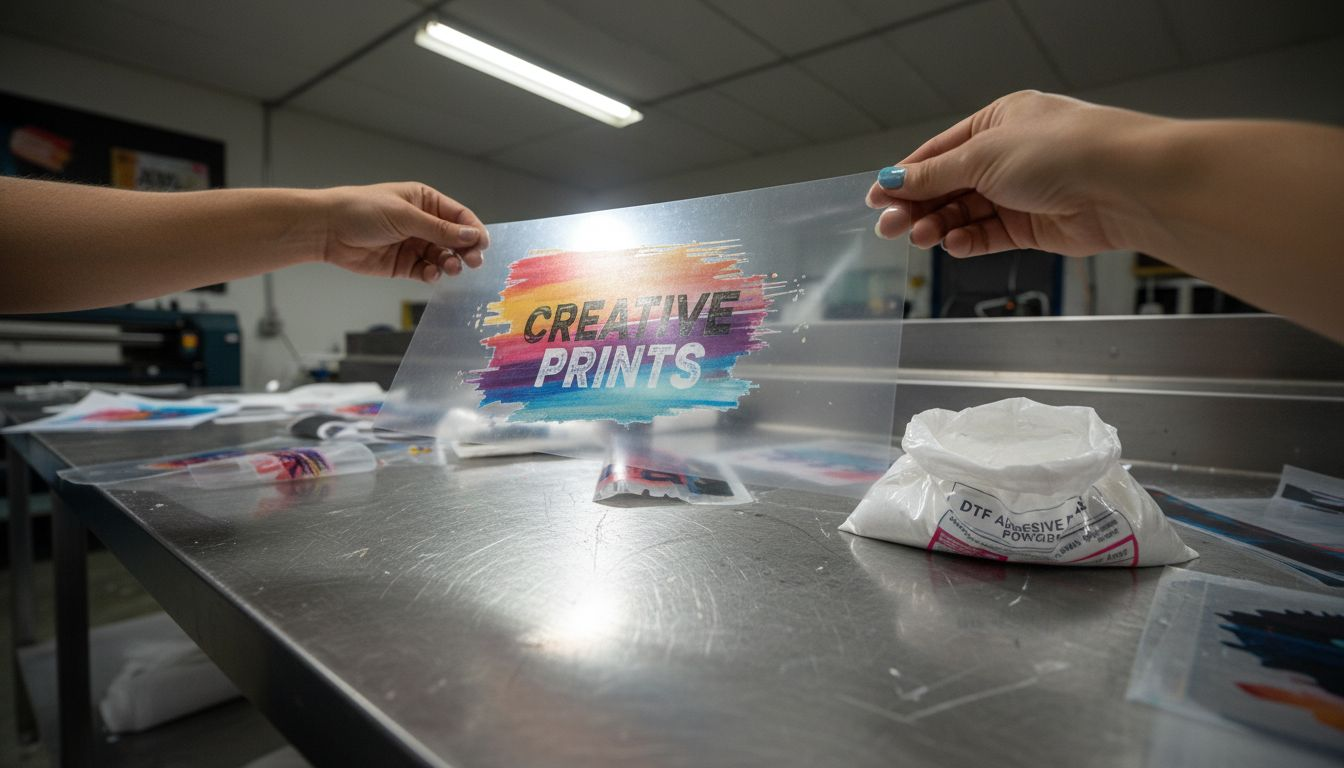
Cheaper films might seem like savings until your prints start failing mid-production. A quality film costs pennies per transfer but saves dollars in reprints.
Water-Based Inks That Actually Stick
Water-based inks that adhere well to the film and garment are critical. These inks need to bond with the film immediately during printing, then stay put through the powder and heat-press stages.
Low-quality inks either don’t dry fast enough on the film or fail to adhere properly when transferred. You end up with transfers that crack, fade, or wash out after a few wears.
Look for inks specifically formulated for DTF. They’re designed for this process, not repurposed from other printing methods.
The Powder That Makes It Stick
Thermoplastic powder transforms everything. This hot-melt adhesive powder gets applied to the wet ink, then cured with heat. The powder melts and bonds with the ink, creating the glue that holds your transfer to the fabric.
Application matters. Too little powder and transfers peel. Too much and you get stiff, uncomfortable prints. Coverage needs to be even across the entire design.
Powder quality also affects durability. Premium powder creates flexible bonds that move with the fabric. Cheap powder becomes brittle and cracks with wear.
Heat Press Settings (The Often-Overlooked Variable)
Your heat press is only as good as how you use it. Temperature, pressure, and time must work together in harmony.
Each garment type requires slightly different settings:
- Cotton: 320°F for 10-12 seconds
- Polyester: 300°F for 8-10 seconds (lower heat to prevent melting)
- Blends: 310°F for 9-11 seconds
Wrong settings create transfers that don’t adhere, bleed color, or feel stiff. Most quality issues trace back here.
The Synergy Factor
DTF transfer quality depends on the synergy of printing film, ink selection, heat press settings, and powder application. These four elements must work together seamlessly.
Optimize each one independently:
- Premium film accepts ink and powder evenly
- Quality ink adheres to film and garment
- Proper powder application ensures full coverage
- Correct heat press settings cure and bond everything
Skip one step or use low-quality materials, and the whole chain breaks.
Quality isn’t about finding the cheapest option—it’s about every component performing its job so the final transfer looks incredible and lasts through dozens of washes.
Pro tip: Create a test sheet with your exact ink, film, and powder combination, then dial in your heat press settings on scrap garments before your first customer order—this 30-minute investment prevents frustrating quality problems.
Durability, Washability, and Fabric Compatibility
A quality DTF transfer should survive dozens of washes without fading, cracking, or peeling. This doesn’t happen by accident—it’s the result of choosing the right materials and understanding how different fabrics behave.
Why Durability Matters to Your Customers
Your customers buy apparel to wear it, not frame it. If a transfer fails after three washes, they won’t return. If it lasts 50 washes looking sharp? They’ll recommend you to friends.
Durability directly affects your reputation and repeat business. One failed transfer damages trust more than one successful one builds it.
Fabric Compatibility: Not All Materials Are Equal
DTF works on most fabrics, but some require special attention. Cotton and cotton-blend garments are forgiving. Polyester, nylon, and specialty blends demand precision.
Each fabric type has different heat sensitivity and moisture absorption rates. Push the wrong temperature on polyester and the fibers melt. Use insufficient heat on heavily blended fabrics and the transfer won’t adhere properly.
Understanding Wash Stress on Transfers
Transferred prints degrade differently under mechanical and chemical stresses caused by washing. The detergent, water temperature, and drying method all play roles in how long your transfer lasts.
Hot water and harsh detergents accelerate degradation. Machine drying creates friction that breaks down adhesion. Cold water, gentle detergents, and air drying extend transfer life significantly.
The Washability Test
You need to know how your transfers perform in real conditions. Create test samples using your exact process, then wash them like customers would.
Test conditions:
- Wash in 40-60°C water (similar to typical home washing)
- Use standard detergent
- Run 10-20 wash cycles
- Air dry (no machine drying)
- Check for color fading, adhesion loss, or cracking
If transfers pass this, your customers will be satisfied.
Protect Your Transfers with Coatings
Protective coatings such as polyurethane enhance durability and maintain aesthetic properties. A quality clear topcoat protects your print from detergent chemicals and UV exposure.
Coatings also improve hand feel and flexibility. Without them, transfers can feel stiff and crack with wear.
Fabric-Specific Best Practices
Match your approach to the fabric:
- Cotton: 320°F, 10-12 seconds, high durability
- Polyester: 300°F, 8-10 seconds, medium durability (heat sensitive)
- Blends: 310°F, 9-11 seconds, test before production
- Dark fabrics: Add white base layer under colored designs
Durability isn’t guaranteed—it’s earned through proper material selection, correct application settings, and understanding how different fabrics respond to washing and wear.
Pro tip: Before delivering orders to customers, wash a test garment from your batch using hot water and a standard detergent, then inspect closely for fading or peeling—this catches quality issues before they damage your reputation.
Common Pitfalls and How to Avoid Them
Most quality failures don’t happen because DTF is unpredictable. They happen because of skipped steps, rushed processes, or overlooked details. Understanding the common mistakes helps you avoid them entirely.
Powder Application Gone Wrong
Inadequate or inconsistent application of powder causes uneven prints or peeling post-wash. This is the number-one culprit behind failed transfers.
Too little powder? Your transfer won’t adhere. Too much? It clumps and creates stiff, uncomfortable prints. Inconsistent coverage means some areas peel while others hold.
The fix is simple: apply powder evenly across the entire design using controlled, consistent motions.
Inadequate Powder Curing
Inadequate curing of thermoplastic powder leads to poor adhesion and transfer durability. Your powder needs heat to fully melt and bond with the ink.
Skip this step or rush it, and the powder remains loose. The transfer peels during application or washing. Every single transfer requires proper curing—no shortcuts.
Heat Press Temperature Mistakes
Wrong temperature destroys transfers before they even reach your customer. Too hot melts polyester fibers. Too cold leaves adhesion incomplete.
Common errors:
- Using the same temperature for all fabrics
- Not accounting for heat press age or calibration drift
- Guessing instead of testing
- Ignoring pressure adjustments (temperature and pressure work together)
Solve this by testing on scrap fabric, documenting your exact settings, and sticking with them.
File Preparation Failures
File preparation errors affect color accuracy and print registration. A bad file creates bad prints, no matter how perfect everything else is.
Common file issues:
- Low resolution files (use minimum 300 DPI)
- Color mode problems (RGB instead of CMYK)
- Designs too close to edges (add safe margins)
- Missing bleed areas for full-coverage prints
Always verify files before printing.
Workspace Contamination
Dust, lint, or powder contamination ruins prints. A speck on the film transfers to your garment permanently. Contamination also affects powder adhesion and creates weak spots.
Maintain a clean workspace. Use lint rollers on garments before pressing. Wipe down work surfaces regularly.
Ventilation and Safety Oversights
Ensuring proper ventilation is critical to safety due to fine powder inhalation risks during curing. This isn’t just about comfort—it’s about protecting your health and your team’s health.
A simple fan pulling powder dust away from your face solves this. Don’t skip it.
Inconsistent Workflow Processes
Poor workflow management leads to inconsistencies in the final product. If you do things differently each time, results will vary.
Create a checklist and follow it for every single order:
- File verification
- Printer setup
- Powder application
- Curing
- Heat press settings
- Cooling time before peeling
The difference between businesses that struggle and those that thrive is consistency. Follow the process every time, and quality follows automatically.
Pro tip: Keep a production log documenting settings, materials, and results for every batch—this reveals patterns and helps you identify which variable caused problems when quality dips.
Key DTF process issues and their business impact:
| Pitfall | Resulting Problem | Business Impact |
|---|---|---|
| Inconsistent Powder Spread | Uneven adhesion or peeling prints | Reprints, wasted materials |
| Wrong Heat Press Settings | Faded or ruined transfers | Customer complaints |
| Poor File Preparation | Blurry or off-color designs | Damaged brand reputation |
| Workspace Contamination | Flaws embedded in transfers | Lower perceived quality |
| Weak Ventilation | Health and safety hazards | Legal or employee issues |
Cost and Value Comparisons in DTF Transfers
DTF transfers look cheap until you compare them to other methods. Then they look even cheaper. But price alone isn’t the real story—value is. Understanding the actual economics helps you price your work fairly and stay profitable.
What You’re Actually Paying For
When comparing DTF to screen printing or embroidery, look beyond the per-unit transfer cost. The real value comes from setup speed, flexibility, and minimal waste.
Screen printing requires design screens ($50-150 each), setup time (1-2 hours), and minimum orders (usually 12+ pieces). Embroidery needs digitized files ($25-75 per design) and slow production speeds (5-10 minutes per shirt).
DTF? Print one shirt or 100 with zero setup fees. Same cost per transfer regardless of order size.
The Real Cost Breakdown
Your DTF costs include film, ink, powder, and labor. That’s typically $1.50-3.50 per transfer depending on design size and complexity.
Screen printing costs:
- Per-shirt material: $0.50-1.50
- Setup per design: $75-200 (spread across minimum order)
- Minimum order: 12-25 shirts
- Total for small orders: $2.50-5.00 per shirt
For custom orders under 10 pieces? DTF dominates on price.
Here’s how DTF, screen printing, and embroidery compare for small orders:
| Feature | DTF Transfers | Screen Printing | Embroidery |
|---|---|---|---|
| Minimum Order | 1 piece | 12-25 pieces | 1 piece |
| Setup Cost | None | $75-$200 | $25-$75 |
| Avg. Per Shirt Cost | $1.50-$3.50 | $2.50-$5.00 | $3.00-$7.00 |
| Turnaround Time | 10 minutes | 1-2 hours setup | 5-10 minutes per shirt |
| Customization Ease | High, digital designs | Low, manual screens | Medium, needs digitizing |
| Equipment Investment | $2,000-$5,000 | $8,000-$15,000 | $15,000+ |
Production Efficiency Drives Real Value
Balancing material costs, production efficiency, and end-product quality maximizes value in apparel decoration technologies. Time saved is money earned.
DTF’s speed advantage:
- One-off custom orders: DTF prints in 10 minutes, screen printing takes 2 hours setup
- Rush jobs: DTF handles same-day delivery, screen printing needs 24-48 hours
- Design changes: DTF adapts instantly, screen printing requires new screens
This speed translates directly to higher margins and faster cash flow.
The No-Minimum-Order Advantage
Screen printing forces you to accept bulk orders or turn away small customers. DTF accepts every order profitably.
Small orders that screen printers won’t touch become your revenue:
- Single custom t-shirts ($25-40 profit)
- Team uniforms for small groups (5-10 pieces)
- Sample orders before larger production runs
- Holiday gifts and last-minute requests
Each small order adds up to serious money annually.
Equipment and Startup Costs
DTF printer setup typically costs $2,000-5,000. That’s significantly less than screen printing equipment ($8,000-15,000) or embroidery machines ($15,000+).
Lower startup means faster return on investment. You’re profitable sooner, with less financial risk.
Quality Consistency Reduces Reprints
Screen printing quality varies based on technician skill, ink mixing, and screen condition. Bad prints mean reprints and lost profit.
DTF transfers are consistent. Digital files produce identical results every time. No reprints, no waste, no customer complaints.
Value isn’t the lowest price—it’s the best combination of cost, quality, speed, and flexibility for your specific business model.
Pro tip: Calculate your true cost per shirt including labor, materials, and setup time for DTF versus your next-best alternative—you’ll likely discover DTF beats everything for orders under 25 pieces.
Unlock Your Apparel Success with Premium DTF Transfers from Transfer Kingz
Struggling to achieve vibrant, durable, and perfectly detailed Direct-to-Film transfers can slow your custom apparel business down. This article highlights how mastering key elements like quality film, water-based inks, precise powder application, and optimal heat press settings directly impact your print durability and washability. If you want to avoid costly reprints, inconsistent colors, and peeling transfers, understanding these critical factors is just the first step.

Take control of your production quality today with high-quality DTF transfers from Transfer Kingz. Designed for small businesses, hobbyists, and large shops, our premium films and inks combined with our quick turnaround and low-quantity ordering empower you to deliver flawless apparel every time. Discover our easy-to-use design upload and gang sheet builder tools for seamless customization. Visit Transfer Kingz now and turn your apparel vision into reality with confidence and speed.
Frequently Asked Questions
What are the essential components of a quality DTF transfer?
Quality DTF transfers rely on four critical elements: premium transfer film, water-based inks that stick well, thermoplastic powder for adhesion, and proper heat press settings. Each component must perform effectively for durable and high-quality prints.
How can I ensure the durability of my DTF transfers?
To ensure durability, use high-quality materials, apply thermoplastic powder evenly, cure adequately with heat, and select appropriate heat press settings based on the fabric type. Conduct wash tests to confirm the transfers maintain their quality over time.
What common mistakes should I avoid when using DTF printing?
Common mistakes include improper powder application, inadequate curing of thermoplastic powder, incorrect heat press temperature settings, poor file preparation, and workspace contamination. Avoiding these pitfalls will lead to better quality prints and fewer reprints.
Why is fabric compatibility important in DTF printing?
Fabric compatibility is essential because different materials respond differently to heat and moisture absorption. Understanding the specific requirements of each fabric type ensures that the transfer adheres properly and remains durable during washing and wear.
0 comments