

TL;DR:
- Overlooking critical steps in garment printing can lead to costly errors and damage a business’s reputation.
- Following a detailed workflow, from material checks to final inspection, ensures consistent, high-quality results and minimizes waste.
One overlooked detail during a print run can turn a profitable order into a pile of wasted shirts. For small clothing businesses and independent designers, that cost adds up fast. Whether you’re running Direct-to-Film (DTF) transfers or managing a full production line, skipping even a single step in your process creates ripple effects that hurt both your margins and your reputation. This guide walks you through every critical checkpoint, from artwork prep to final inspection, so you can produce flawless custom apparel with confidence and consistency.
Table of Contents
- Setting the foundation: Pre-printing essentials
- Ink, materials, and equipment: What to check before you print
- Print workflow: Step-by-step process for consistent results
- Common errors and troubleshooting: Avoiding costly misprints
- Quality control and final inspection: The ultimate checklist
- Our perspective: What most checklists miss and how to truly stand out
- Get flawless prints with Transfer Kingz
- Frequently asked questions
Key Takeaways
| Point | Details |
|---|---|
| Pre-printing matters most | Verifying garments and artwork before printing prevents costly mistakes down the line. |
| Workflow consistency prevents errors | A step-by-step process catches issues early and ensures repeatable results for custom apparel. |
| Quality control is non-negotiable | Inspection at every stage ensures your garments meet customer expectations and brand standards. |
| Troubleshooting saves batches | Quickly identifying and correcting common mistakes avoids wasted materials and delays. |
| Feedback improves future prints | Using customer insights can help refine both your checklist and production quality. |
Setting the foundation: Pre-printing essentials
Before anything touches a printer, your garments and artwork files need to pass a set of basic but non-negotiable checks. These foundational steps prevent the most common and most expensive mistakes in garment printing.
Start with your garment selection. Not all fabrics respond the same way to heat, pressure, or ink adhesion. Cotton blends typically perform well with DTF transfers, while synthetic fabrics like polyester require adjusted heat settings to avoid scorching or poor adhesion. Fabric weight matters too. A lightweight 4.5 oz shirt behaves very differently under a heat press compared to a heavyweight 6.1 oz fleece. Knowing your fabric specs before printing saves you from discovering adhesion failures mid-run.
Artwork verification is equally important. Always check that your design files are:
- At least 300 DPI (dots per inch) for sharp, clean output
- In a compatible format such as PNG with a transparent background or a high-resolution PDF
- Sized to the actual print dimensions, not scaled up from a small file
- Free of pixelation, blurry edges, or low-contrast areas that will print poorly
- Color corrected for printing (RGB to CMYK conversion where needed)
Color matching is a step many beginners skip, only to receive a finished batch with colors that look nothing like the original design. Use Pantone references or soft-proof your files before committing to a full print run.
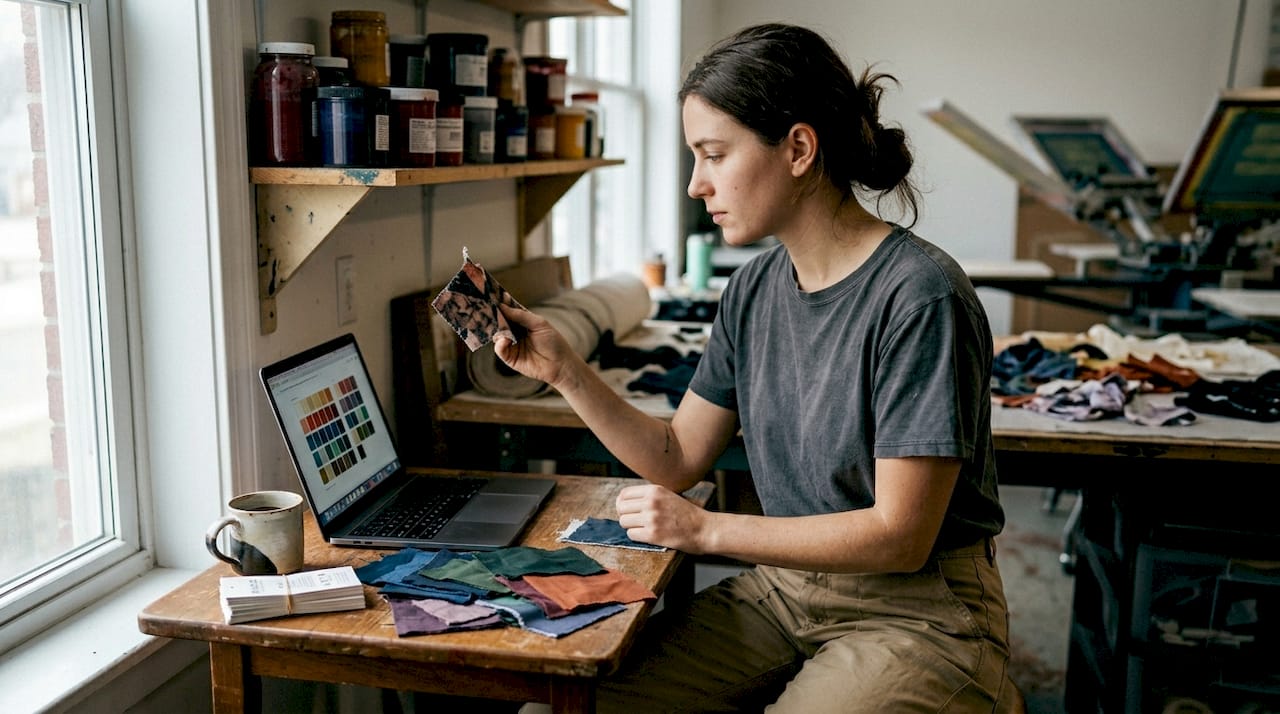
Following DTF transfer checklist principles from the start sets your entire production up for success. These foundational checklist steps are what separate profitable print runs from costly redos.
Pro Tip: Build a garment and design compatibility matrix. This is a simple spreadsheet that maps fabric types to recommended heat settings, transfer types, and tested color profiles. Every time you work with a new garment or ink combination, log the results. Within a few months, you’ll have a reliable reference that speeds up every new order.
Ink, materials, and equipment: What to check before you print
Now that you’ve verified your garment and artwork, it’s time to make sure your printing tools and materials are set for optimal execution.
Ink quality has a direct impact on how vibrant and how durable your final print looks. Low-grade inks can fade after just a few washes, leaving customers dissatisfied and damaging your brand. Quality ink selection is one of the most impactful decisions you make before a print run. The best inks for custom apparel use formulations designed specifically for textile adhesion and wash resistance.
Here’s a step-by-step checklist for ink, equipment, and material readiness:
- Check ink levels. Running out mid-job leads to banding or incomplete prints. Top up all ink channels before starting a long run.
- Inspect ink expiration dates. Yes, ink expires. Outdated ink can cause clogged printheads and inconsistent color output.
- Run a nozzle check. Print a nozzle check pattern and inspect it closely for missing or deflecting lines before loading your production garments.
- Calibrate color output. Print a color calibration test page and compare it against your target reference. Adjust curves or profiles as needed.
- Clean the platen and heat press surfaces. Residual ink, lint, or debris on your equipment will transfer directly onto your garments.
- Verify film and adhesive powder stock (for DTF). Make sure your hot melt powder is dry, unclumped, and the correct type for your transfer film.
- Check heat press temperature accuracy. Use a heat gun or thermal strip to verify your press reaches and holds the stated temperature. Inconsistent heat is one of the top causes of poor adhesion.
Material pretreatment is often skipped, especially when volume pressure is high. For DTF and direct-to-garment (DTG) printing, pretreating certain fabrics ensures the ink bonds properly. Skipping this step on cotton DTG prints, for example, results in washed-out prints that crack within weeks.
Pro Tip: Always test on scrap material before a full production run. Run one piece through the entire process, from printing to curing to pressing, and evaluate the result under good lighting before committing the full batch. This single habit can save you from scrapping dozens of garments.
Print workflow: Step-by-step process for consistent results
With all materials ready, following a proven workflow minimizes errors and maximizes consistency across every single garment.
A structured DTF print workflow guide keeps your operation running smoothly and prevents the kind of random variation that makes quality control impossible. Here’s a reliable step-by-step process:
- Load your design file. Open the correct file version, confirm the size and placement, and verify print orientation before sending to the printer.
- Print the transfer. Print onto DTF film with your verified color settings. Watch the first few inches of the print to catch any nozzle issues early.
- Apply hot melt adhesive powder. While the ink is still wet, apply the powder evenly. Shake off excess immediately to avoid uneven adhesion spots.
- Cure the transfer. Pass the film through a curing oven or use a heat gun at the correct temperature and speed. Undercuring leaves adhesive tacky; overcuring makes it brittle.
- Peel the film. Wait for the transfer to cool slightly, then peel at a consistent angle. Hot peel and cold peel films have different timing requirements, so know your material.
- Apply to the garment. Center the transfer on a pre-pressed garment, apply correct temperature and pressure for the specified dwell time, then press.
- Inspect immediately. Check for lifting edges, air bubbles, or color shifts while the garment is still warm. Catch defects now, not after 50 more pieces.
Small batch tests help catch problems early. Running 3 to 5 test pieces before committing to a full production run is the single most effective quality insurance you have.
Following a refined DTF transfer workflow ensures each garment receives the same treatment, which is what consistency actually means in production. Document your settings, including temperature, dwell time, and pressure, for every garment and transfer combination you run.
Quality assurance checks should happen at three points in the workflow: after printing, after curing, and after pressing. Each checkpoint catches a different category of defects, and catching them early stops bad product from moving down the line.
Common errors and troubleshooting: Avoiding costly misprints
Even with a solid workflow, printers can run into avoidable problems. Spotting them early is key to protecting your margins.
Reviewing the most common DTF printing mistakes small businesses make reveals a clear pattern: most errors trace back to skipping one of the checklist steps covered above. Here are the most frequent culprits:
- Color shifting caused by printing in RGB when your equipment expects CMYK profiles
- Poor adhesion resulting from incorrect heat press temperature or insufficient dwell time
- Blurry or pixelated output from using low-resolution artwork files
- Ink bleeding or feathering caused by printing on unpretreated or damp fabric
- Transfer cracking after washing due to undercured adhesive powder
- Misaligned placement from inconsistent garment loading or skipping alignment guides
A comparison of correct versus incorrect execution helps illustrate exactly where these failures happen:
| Print step | Correct execution | Incorrect execution |
|---|---|---|
| Artwork preparation | 300 DPI, transparent PNG, correct size | Low-res JPEG, wrong dimensions |
| Ink check | Nozzle test passed, channels full | No check, ink low in one channel |
| Adhesive powder | Even coat, excess shaken off | Clumped application, uneven layer |
| Curing | Correct temp and time, even pass | Undercured, tacky adhesive |
| Heat press | Verified temp, correct dwell time | Uncalibrated press, wrong settings |
| Final inspection | Checked under direct light | Visual glance, no structured check |
When you do encounter a mismatch between your expected and actual output, work backward through this table. Most troubleshooting in garment printing is about identifying which step introduced the variable that caused the problem. Document every correction you make. That log becomes your troubleshooting library over time.
Quality control and final inspection: The ultimate checklist
After troubleshooting, the last line of defense is a rigorous quality control process before your garment reaches the customer.
Quality inspection should not be a quick glance before packing. It needs to be a structured process with defined pass/fail criteria. Referencing how DTF printing works makes clear that print quality depends on multiple variables all going right simultaneously. Your final inspection confirms that they did.
Here’s a final inspection checklist:
- Color fidelity: Compare the printed garment to your approved color proof. Check for any hue shifts, faded areas, or incorrect color zones.
- Print sharpness: Examine edges under good lighting. Fine lines and text should be crisp. Any blurring indicates a resolution or curing issue.
- Placement accuracy: Measure print position from collar, side seams, and center. Tolerance should be no more than 0.25 inches from spec.
- Surface feel and adhesion: Run a fingernail gently across the print. There should be no lifting, flaking, or peeling at edges.
- Defect check: Look for ink spots, stains, holes, snags, or any garment damage that occurred during pressing.
- Wash test sample: For new designs or fabric combinations, run one garment through a standard wash cycle and inspect before releasing the batch.
| Inspection criteria | Pass benchmark | Fail indicator |
|---|---|---|
| Color accuracy | Matches proof within 5% variance | Visible hue shift or fading |
| Print sharpness | Clean edges at 1mm detail | Blurry edges or pixelation visible |
| Placement | Within 0.25 inch of spec | Off-center or rotated placement |
| Adhesion | No lift at edges under fingernail | Visible peeling or flaking |
| Garment condition | No new damage post-press | Burns, holes, or press marks |
Following DTF printing best practices means treating this inspection as a business system, not a one-time step.
Pro Tip: Build a customer feedback loop. After fulfillment, follow up with buyers to track any post-sale issues like cracking, fading, or adhesion failure after washing. Log this data alongside the production settings used for that batch. Within a few months, you’ll see patterns that help you preemptively fix quality issues before they reach customers.
Our perspective: What most checklists miss and how to truly stand out
Most garment printing checklists stop at the technical. Check your resolution. Set your temperature. Test your nozzles. All valid, all necessary. But the businesses that build lasting reputations in custom apparel do something the average checklist doesn’t mention: they document the human side of the process.
What does that mean in practice? It means logging not just your press temperature, but the room temperature and humidity that day. It means noting which staff member ran which batch and whether any deviations were made from standard settings. These details feel excessive until the day you get a complaint and need to trace exactly what happened.
The other major gap in most checklists is customer communication. Before a job prints, confirming design approval, garment sizing, and delivery timeline with your customer eliminates the most common source of reprints. A reprinted order is not just a material cost. It is also a time cost, a shipping cost, and a trust cost. Building a simple approval step into your workflow, where the customer signs off on a digital mock-up before printing, can cut your reprint rate significantly.
Branding consistency is also overlooked. If your prints vary slightly from run to run because you’re not documenting settings, your brand looks inconsistent even when individual pieces look fine. The customer who orders twice expects the same result both times.
Reviewing printing cost-saving strategies reinforces a key truth: the cheapest order to fulfill is the one you got right the first time. Every step of this checklist exists to protect that outcome.
As your business grows, so should your checklist. Review and update it every quarter. Add notes from real production runs. Remove steps that no longer apply to your current setup. A living checklist grows with you and becomes one of the most valuable operational assets you own.
Get flawless prints with Transfer Kingz
Putting a detailed checklist into practice is only half the equation. Having a reliable print partner that delivers premium transfers consistently is the other half.

Transfer Kingz specializes in high-quality DTF transfers built for businesses that can’t afford inconsistency. Whether you’re producing custom orders in DTF Transfers Dallas, scaling up across DTF Transfers Texas, or exploring what modern DTF shirt transfer solutions can do for your brand, Transfer Kingz delivers vibrant, durable transfers with fast turnaround and no minimums. Upload your artwork, choose your specs, and get professional-grade results you can stake your business reputation on.
Frequently asked questions
What’s the most important step in garment printing?
Ensuring artwork compatibility and garment material readiness is crucial for quality and durability, as outlined in foundational checklist steps for apparel production. Getting these two elements right before printing prevents the majority of downstream errors.
How do I prevent common garment printing errors?
Testing designs on scrap material and following a step-by-step workflow help avoid most misprints, according to common DTF mistakes research. Structured workflows eliminate the random variation that causes inconsistent results.
Which inks are best for vibrant, durable prints?
Using high-quality DTF ink produces vibrant and long-lasting prints specifically formulated for textile adhesion and wash resistance. Ink quality is one of the most impactful variables in both appearance and durability.
How can I ensure consistent quality every time?
Implementing a structured workflow and inspecting garments with a detailed checklist are essential, as a refined DTF transfer workflow demonstrates. Documenting settings for each run gives you a reliable baseline to return to.
Is customer feedback important after printing?
Feedback helps identify recurring issues and improve quality control for future garments. Tracking post-sale complaints alongside production logs lets you connect specific settings to specific outcomes and fix problems at the source.
Recommended
- T-shirt design checklist for print-ready, profitable apparel – Transfer Kingz
- 7 Essential DTF Printing Best Practices for Apparel Brands – Transfer Kingz
- 7 Essential DTF Printing Cost-Saving Tips for Apparel Brands – Transfer Kingz
- 7 Steps to a Perfect DTF Transfer Checklist for Apparel – Transfer Kingz
0 comments